
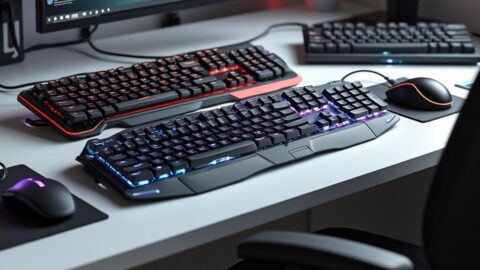
In the fast-paced world of professional work, having the right tools can make all the difference. One of these essential tools is the keyboard. With a myriad of options available on the market, choosing the best keyboard for your work needs can be a daunting task. Whether you're a writer, programmer, or graphic designer, the right keyboard can improve your productivity and comfort.
Let's start with mechanical keyboards, known for their tactile feedback and durability. The Das Keyboard 4 Professional is an exceptional choice, particularly popular with software developers and writers. Priced around $169, it features Cherry MX switches, which offer a distinctive tactile feel, ideal for intensive typing tasks. This model also boasts a sleek design with an aluminum top panel and a dedicated volume knob. One of its main advantages is durability, as mechanical switches often last longer than their membrane counterparts. Additionally, it offers a two-year limited warranty, giving users complete peace of mind.
Adjacent to the Das Keyboard in reputation is the Logitech MX Keys Advanced. At around $99, this keyboard is aimed primarily at professionals who value seamless switching between multiple devices. Featuring a stainless steel frame and backlit keys, it supports Logitech's Flow software for quick navigation between devices. However, while its membrane keys offer a quieter typing experience, they may not offer the same level of tactile satisfaction as mechanical keys. This model comes with a one-year warranty, which some users may find limited compared to mechanical options.
For those who prioritize ergonomics, the Microsoft Sculpt ergonomic keyboard is an attractive option. Priced around $130, it features a split-key design to promote a more natural position for the hand, wrist, and forearm. It includes a separate numeric keypad, which helps reduce wrist fatigue during prolonged use. One drawback, however, is its learning curve, as the split design may initially prove uncomfortable for frequent typists. Microsoft's three-year limited warranty is commendable, offering extended protection against potential defects.
Continuing the discussion on ergonomics, we delve into the Kinesis Advantage2. Known for its sculpted, concave keys, it offers a unique typing experience designed to mitigate repetitive strain injuries. With a retail price of around $349, it's considerably more expensive than other options, but the accolades from ergonomists may justify the investment for users with repetitive strain issues. Its Cherry MX Brown switches offer a tactile feel, while the built-in remapping and macro programming features offer customization options. The Kinesis Advantage2 includes a three-year warranty, in keeping with its focus on longevity and user health.
Membrane keyboards, while less durable, are generally more affordable, and a popular choice is the Corsair K55 RGB. At $49, this model represents an affordable entry into the world of professional keyboards. Despite its lower price, it features RGB lighting and six programmable macro keys, making it a popular choice for users seeking advanced aesthetics and functionality. However, its membrane keys may not be up to par for those seeking a more responsive experience. Corsair offers a two-year warranty, a generous period for a keyboard in this price range.
At the forefront of keyboard innovation, the Apple Magic Keyboard is often favored by creative circles. Starting at $99 for the standard model, its minimalist design and low-profile keys offer an elegant alternative for Apple users. Integrated with iOS and macOS shortcuts, it improves the workflow for designers and editors working within the Apple ecosystem. However, the lack of haptic feedback and limited connectivity with non-Apple devices may be a drawback for some users. Apple offers a one-year limited warranty, which is standard for its accessories.
For gamers who also use their gear for work, the Razer BlackWidow V3 is a versatile choice. Priced at around $139, it features Razer's proprietary Green mechanical switches, known for their clicky feedback. While it's primarily designed for gamers, its programmability and comfortable wrist rest make it suitable for a dual-purpose setup. However, its clattery switches may be distracting in quieter office environments. Razer offers a two-year warranty, complementing its sturdy build quality.
When navigating these options, it's crucial to consider your budget, work needs, and personal preferences. Mechanical keyboards, while more expensive, often offer unparalleled durability and typing satisfaction. Membrane keyboards balance cost and quietness, but may sacrifice responsiveness and longevity. Ergonomic designs, while potentially expensive, can have a significant impact on user well-being, especially for those who work long hours.
Expert opinions often emphasize the importance of testing keyboards before purchasing. As ergonomic consultant John Danko observes, "Choosing a keyboard is as personal as choosing a pair of shoes; what works for one person may not work for another." This sentiment echoes the importance of evaluating not only the technical specifications, but also how a keyboard adapts to individual comfort and workflow. Historical anecdotes suggest that even esteemed authors like Ian Fleming attributed much of their typing prowess to the perfect keyboard setup, underscoring the link between the right equipment and productivity.
Finally, when purchasing a keyboard, it's a good idea to consider extended warranty options, especially for high-end models, to protect against unexpected breakdowns. Companies like Best Buy and Amazon often offer additional support plans at a reasonable cost, providing additional coverage beyond the manufacturer's warranty. Ultimately, choosing the right keyboard is an investment in both productivity and health, and the various options available today ensure every professional can find the ideal typing companion.